
How to Apply for Jobs Online in South Africa: 12 Steps That Work
How to apply for jobs online in South Africa starts with finding a legitimate vacancy, checking that you meet the requirements, tailoring your CV to the position and submitting your application through the employer’s official careers page or another trusted recruitment platform. Before clicking submit, check your contact details, documents, answers and the vacancy’s closing date.
Applying online may look as simple as uploading a CV and pressing a button, but small mistakes can weaken an otherwise suitable application. Sending the same CV everywhere, applying for jobs you don’t qualify for, using the wrong documents or falling for fake vacancies can waste time.
This guide walks you through the entire process, from finding a legitimate vacancy to tracking your application and preparing for an interview.

Table of Contents
1. Prepare Everything Before You Start Applying
Don’t wait until you find the perfect vacancy before preparing your documents.
Create a job-application folder on your phone or computer containing your:
- CV;
- identification documents where legitimately required;
- qualifications;
- certificates;
- driver’s licence where relevant;
- portfolio where relevant;
- references or reference details if requested.
Give your files professional names.
Instead of:
CV FINAL NEW NEW 2.pdf
use something like:
Thabo-Mokoena-CV.pdf
Your exact filename isn’t likely to determine whether you’re hired, but clear filenames make your application easier to manage and look more professional.
Use PDF for your CV when appropriate
PDF can preserve your CV’s formatting across different devices.
However, follow the employer’s instructions if the application specifically asks for another format.
Don’t ignore instructions just because you normally use PDF.
2. Create a Professional Email Address
Your email address is part of your application.
Something based on your real name is usually easiest for employers to recognise.
For example:
thabomokoena@email.com
is clearer than:
crazyboykiller2002@email.com
You don’t need to pay for a custom email domain.
A normal free email account is sufficient for most job applications.
Check the inbox regularly
Don’t create a job-search email address and then forget about it.
Check:
- inbox;
- spam;
- junk folders.
An employer’s response can sometimes be filtered incorrectly.
Also make sure your inbox isn’t full.
3. Find Legitimate Online Vacancies

An important part of learning how to apply for jobs online in South Africa is learning where legitimate opportunities come from.
Possible sources include:
- employers’ official career websites;
- government recruitment portals;
- recognised recruitment platforms;
- university career portals;
- recruitment agencies;
- Employment Services of South Africa (ESSA).
The Department of Employment and Labour’s Employment Services of South Africa (ESSA) allows individual work seekers to register, capture a CV and search its database for available work and learning opportunities. ESSA also states that captured CV information can be used to help match work seekers with potential employers. (ESSA)
You can register through the official:
Employment Services of South Africa (ESSA)
Don’t depend on one website
Different employers recruit differently.
One company may advertise vacancies only through its own careers portal.
Another may use a recruitment platform.
Government departments can use dedicated recruitment systems.
For example, the Gauteng Provincial Government operates its own Professional Job Centre, where applicants can search vacancies and create a profile. (GPG Professional Job Centre)
Gauteng Professional Job Centre
Use several legitimate sources rather than refreshing the same website every day.
4. Read the Entire Job Advertisement Before Applying

Don’t immediately click Apply because the job title looks interesting.
Read the advert from beginning to end.
Look for:
- location;
- responsibilities;
- required education;
- required experience;
- required skills;
- driver’s licence requirements;
- working arrangements;
- closing date;
- application instructions;
- documents required.
Then ask:
Do I genuinely meet the important requirements?
Suppose the vacancy says:
Minimum requirements
- Matric
- Two years’ administrative experience
- Microsoft Excel
- Valid driver’s licence
You have Matric and Excel skills but no administrative experience or driver’s licence.
Sending the application anyway may not be the best use of your time if those are mandatory requirements.
Instead, prioritise vacancies where you have a realistic match.
If you’re struggling because most vacancies require previous work experience, read our JobMarketSA guide on how to get a job with no experience in South Africa.
5. Research the Employer Before Sending Your Application
Before providing your personal information, confirm that the employer exists.
Search for its official website.
Check whether the vacancy appears on the company’s career page where possible.
Look at:
- company name;
- website domain;
- location;
- official contact information;
- careers page.
This serves two purposes.
First, it helps you avoid scams.
Second, researching the employer helps you tailor your application.
Suppose you’re applying for a customer-service position.
Reading the company’s website may help you understand:
- what it sells;
- who its customers are;
- what services it provides;
- where it operates.
That knowledge can later help if you’re invited to an interview.
6. Tailor Your CV to the Vacancy
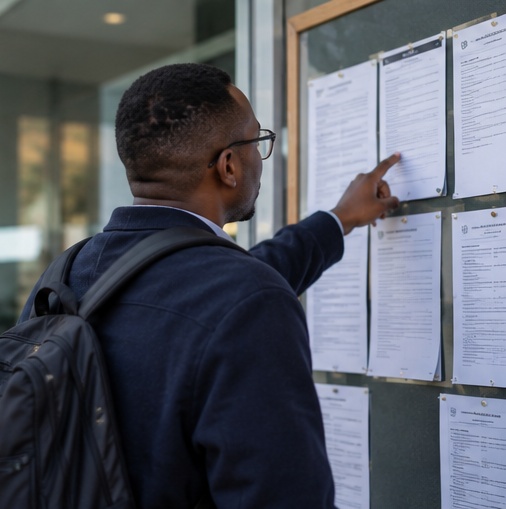
One of the most common online application mistakes is sending exactly the same CV to every employer.
Your CV doesn’t need to become a completely new document each time.
But the most relevant information should be easy to find.
Imagine Vacancy A is for a:
Retail Assistant
The advert emphasises:
- customer service;
- merchandising;
- stock replenishment;
- teamwork.
Vacancy B is for an:
Administration Assistant
The advert emphasises:
- Microsoft Word;
- Excel;
- filing;
- data capturing;
- email communication.
Suppose you genuinely have all of these skills.
Your retail application should make your:
customer service + merchandising + stock + teamwork
experience prominent.
Your administration application should highlight:
Word + Excel + filing + data capturing
more strongly.
You’re not changing the truth.
You’re changing what gets the most attention.
Use relevant terminology naturally
If the vacancy uses the phrase:
stock replenishment
and you have genuinely performed stock replenishment, it’s reasonable to use that phrase on your CV.
Don’t copy every keyword from the advert into your CV if you don’t actually possess those skills.
For more help, read our guide on what skills should I put on my CV.
7. Complete Online Application Forms Properly
Some employers don’t simply ask you to upload a CV.
You may need to create an account and complete an online profile.
Information could include:
- personal details;
- education;
- employment history;
- skills;
- qualifications;
- availability;
- location;
- screening questions.
For example, Gauteng’s official Professional Job Centre has an applicant registration system requiring users to create a profile before using account features. (GPG Professional Job Centre)
Don’t write “See CV” everywhere
If the employer asks you to complete your work history, complete it.
Your uploaded CV doesn’t necessarily replace required application fields.
Keep information consistent
If your CV says:
January 2024 – August 2026
but the application form says:
January 2023 – August 2026
the inconsistency may raise questions.
Check:
- dates;
- employer names;
- job titles;
- qualifications.
Don’t intentionally change details to meet requirements.
8. Answer Screening Questions Honestly
Online applications often contain questions such as:
Do you have a valid driver’s licence?
Do you have two years of customer-service experience?
Are you legally eligible to work in South Africa?
Do you have experience using Excel?
These questions may help employers filter applications.
Don’t answer Yes simply because you think No will eliminate you.
If you don’t have a driver’s licence, don’t say you do.
If you’ve never used a particular system, don’t claim advanced experience.
Dishonesty can become a bigger problem later if you’re asked to provide evidence or discuss the skill during an interview.
9. Upload the Correct Documents
Before uploading anything, read what the employer requests.
Don’t automatically upload:
- ID;
- bank statement;
- proof of address;
- every certificate you’ve ever earned;
- unrelated personal documents.
Only provide information that is legitimately required at the appropriate stage.
Check each file before uploading
Open the file.
Make sure:
- it’s readable;
- it’s the correct document;
- all pages are present;
- formatting isn’t broken;
- the file isn’t corrupted.
Imagine accidentally submitting:
Old-CV-2024.pdf
instead of your newly tailored CV.
Five seconds of checking can prevent that.
Check file-size restrictions
Some portals limit upload size.
If your CV is unnecessarily huge because it contains high-resolution images, reduce the file size without making the document unreadable.
10. Review Everything Before Clicking Submit
When learning how to apply for jobs online in South Africa, develop one simple habit:
Never submit immediately after completing the form.
Review it.
Check:
Contact information
Is your phone number correct?
Is your email correct?
CV
Did you upload the right version?
Job
Are you applying for the correct position?
Location
Can you realistically work there?
Requirements
Do you meet them?
Questions
Did you answer every required question?
Documents
Did you attach what was requested?
Spelling
Are there obvious errors?
Closing date
Is the application still open?
Then submit.
11. Save Proof of Your Application
After applying, don’t immediately close everything and forget about the vacancy.
Save:
- job title;
- company;
- reference number;
- closing date;
- job description;
- application date.
If you receive a confirmation email, keep it.
Why save the job advert?
Imagine an employer calls you three weeks later.
They say:
“We’re calling regarding your application for the Customer Service Consultant position.”
You applied to 40 jobs.
You don’t remember which one they’re talking about.
If you saved the vacancy, you can quickly review:
- responsibilities;
- requirements;
- company;
- salary if advertised;
- location.
This also helps you prepare for the interview.
12. Track Your Online Job Applications
Create a simple spreadsheet.
You don’t need complicated software.
Use:
| Date | Company | Position | Source | Closing Date | Status |
|---|---|---|---|---|---|
| 8 Sep | Company A | Admin Assistant | Careers page | 15 Sep | Applied |
| 9 Sep | Company B | Retail Assistant | Job portal | 18 Sep | Applied |
| 10 Sep | Company C | Internship | Careers page | 20 Sep | Interview |
Update it regularly.
Your status options might include:
- saved;
- preparing;
- applied;
- interview;
- unsuccessful;
- withdrawn;
- offer.
Tracking helps identify problems
Suppose you’ve submitted 50 applications and received zero interviews.
That doesn’t automatically mean the job market is impossible.
Investigate:
- Are you applying for jobs you’re qualified for?
- Is your CV weak?
- Are you tailoring it?
- Are applications complete?
- Are you targeting the right roles?
- Are your contact details correct?
Now suppose you regularly get interviews but never receive offers.
The application itself may not be the main problem.
Your interview preparation may need attention.
JobMarketSA’s guides on how to answer “Tell me about yourself” in an interview and what are your strengths and weaknesses in an interview can help you prepare for that stage.
How to Apply for Jobs Online in South Africa With No Experience
If you have no experience, don’t pretend otherwise.
Instead, target vacancies designed for:
- entry-level candidates;
- matriculants;
- graduates;
- interns;
- trainees;
- learnership participants;
- first-time job seekers.
Then strengthen your CV with genuine evidence from:
- education;
- projects;
- volunteering;
- informal work;
- practical training;
- short courses;
- portfolios;
- extracurricular activities.
For example, someone who hasn’t held a formal administrative job may still have used Excel to manage records for a community organisation.
Describe that experience accurately.
Don’t turn volunteering into fake paid employment.
For a full strategy, read how to get a job with no experience in South Africa.
How to Apply for Government Jobs Online in South Africa
Government recruitment deserves special attention because application procedures can differ between departments and provinces.
Don’t assume the process for a private retailer is the same as the process for a government department.
Some government vacancies use dedicated e-recruitment portals.
Gauteng, for example, currently operates the GPG Professional Job Centre, which publishes vacancies with information including the department, package and closing date. (GPG Professional Job Centre)
If you’re specifically interested in public-sector employment, read our JobMarketSA guide on how to find government jobs in South Africa.
Always follow the instructions in the specific vacancy.
How to Register on ESSA
ESSA is the Department of Employment and Labour’s online Public Employment Services platform.
Its official site states that individual work seekers can register, capture their CV and search available work and learning opportunities. (ESSA)
The registration instructions currently indicate that an individual needs information including a surname, 13-digit identity number and email address for profile verification. (ESSA)
Start here:
Register or search through ESSA
ESSA isn’t a guarantee that you’ll get a job.
Think of it as one additional legitimate channel in your broader job-search strategy.
Should You Apply on a Job Board or the Company’s Website?
When both options exist, I generally recommend checking the employer’s official careers website.
Why?
It allows you to:
- verify that the vacancy exists;
- see the employer’s current listings;
- read its official application instructions;
- avoid relying entirely on copied advertisements.
That doesn’t mean legitimate recruitment platforms are useless.
They can be excellent for discovering opportunities.
A practical process is:
Discover vacancy → Verify employer → Read requirements → Apply through the specified channel.
Don’t make the process more complicated than necessary.
If the legitimate advert specifically directs applications through a recruitment platform, follow that instruction.
How Many Jobs Should You Apply for Per Day?
There is no magic number.
Sending 100 poor applications isn’t automatically better than sending 10 carefully targeted ones.
Consider these two job seekers.
Candidate A
Applies to 60 vacancies today.
Doesn’t read requirements.
Uses the same CV.
Applies nationally despite being unable to relocate.
Uploads the wrong CV twice.
Candidate B
Finds 12 vacancies.
Rejects four because they aren’t a genuine match.
Tailors eight applications.
Checks every submission.
Records each application.
Candidate B submitted fewer applications but probably used their time more effectively.
Focus on qualified applications, not vanity numbers.
Why You’re Applying Online but Getting No Responses
If you’ve been applying repeatedly without results, check these areas.
You’re applying for jobs you don’t qualify for
A high number of applications doesn’t compensate for poor matching.
Your CV doesn’t match the vacancy
Your relevant skills may be buried.
Your CV is difficult to read
Recruiters shouldn’t have to search through huge paragraphs to understand your experience.
Your contact details are wrong
Double-check them.
You’re submitting incomplete applications
Required fields matter.
You’re applying too late
Don’t deliberately wait until the deadline.
You’re using only one job source
Expand your search.
You’re not tracking results
Without data, it’s difficult to identify what’s failing.
How to Make Your Online CV Easier to Read
Your CV should make important information easy to locate.
Use clear sections such as:
Contact Details
Professional Summary
Key Skills
Work Experience
Education
Certifications
where relevant.
Avoid huge paragraphs.
For each previous job, use concise bullet points describing what you actually did.
Instead of:
“I was responsible for many different things in the shop and helped customers and made sure everything was done properly every day.”
Try:
- Assisted customers with product enquiries.
- Replenished and rotated stock.
- Checked expiry dates and product presentation.
- Supported stock counts.
- Escalated customer complaints when necessary.
Specific information is easier to evaluate.
If your CV needs a complete rewrite, start with how to write a CV for a job in South Africa.
Online Job Application Mistakes to Avoid
Applying for everything
Target realistic opportunities.
Using one generic CV
Tailor important applications.
Ignoring instructions
If the employer requests a specific process, follow it.
Uploading the wrong file
Open every attachment before submitting.
Lying on screening questions
Answer truthfully.
Using an unprofessional email address
Create a simple job-search address.
Forgetting closing dates
Track them.
Not saving the vacancy
Keep a copy for interview preparation.
Sharing sensitive information too quickly
Verify the employer and understand why the information is being requested.
Paying for a “guaranteed job”
Treat this as a serious warning sign.
How to Spot a Fake Online Job Advert
Online recruitment also creates opportunities for scammers.
Be cautious when an advert:
- promises unrealistic earnings;
- guarantees employment without assessment;
- asks you to pay to secure the position;
- pressures you to act immediately;
- uses suspicious email addresses;
- requests unnecessary financial information;
- has no verifiable employer;
- sends you to suspicious websites.
Verify independently
Don’t use only the contact information contained in a suspicious message.
Find the employer’s official website independently and check its career page or contact details.
Don’t confuse an application fee with normal job-search expenses
You might legitimately spend money on things like transport, printing or obtaining documents.
That’s different from someone saying:
“Pay me R500 and I’ll guarantee you this job.”
A genuine vacancy should not require bribing someone to employ you.
What to Do After Applying for a Job Online
Once you’ve submitted:
1. Record the application
Add it to your spreadsheet.
2. Save the vacancy
You’ll need it if you’re interviewed.
3. Continue applying
Don’t stop your entire job search because one application looks promising.
4. Check your email
Including spam.
5. Keep your phone reachable
Use a professional voicemail greeting if you rely on voicemail.
6. Start preparing for interviews
Don’t wait for the call.
Prepare answers to:
- Tell me about yourself.
- Why should we hire you?
- What are your strengths?
- What is a weakness you’re improving?
- Why do you want this position?
- What do you know about the company?
A Simple Online Job Application Checklist
Before clicking Submit, ask:
Vacancy
- Is the job still open?
- Is the employer legitimate?
- Do I meet the key requirements?
- Can I work at the location?
CV
- Is this the correct CV?
- Is it tailored?
- Are the dates correct?
- Is my phone number correct?
- Is my email correct?
Application
- Did I complete required fields?
- Are my answers truthful?
- Did I upload the requested documents?
- Did I check spelling?
After submission
- Did I save confirmation?
- Did I save the vacancy?
- Did I add it to my tracker?
If yes, move on to the next suitable opportunity.
Frequently Asked Questions
How do I apply for jobs online in South Africa?
Find a legitimate vacancy, read the requirements, tailor your CV, complete the employer’s online application accurately and upload the requested documents. Check everything before submitting and save a record of the vacancy afterward.
What websites can I use to apply for jobs in South Africa?
Job seekers can use employer career websites, recognised recruitment platforms and official services such as ESSA. Government and provincial recruitment systems may also publish vacancies. Always verify the legitimacy of a vacancy before providing personal information.
Is ESSA a legitimate job-search website?
Yes. Employment Services of South Africa is the Department of Employment and Labour’s Public Employment Services platform. Its site allows individuals to register, capture CV information and search for work or learning opportunities. (ESSA)
Can I apply for jobs online with no experience?
Yes, where the vacancy accepts entry-level applicants. Target positions, internships, learnerships and trainee opportunities appropriate to your qualifications and experience. Don’t fabricate work history.
Should my CV be PDF or Word?
PDF often preserves formatting well, but follow the employer’s instructions. If a portal requests a particular file format, use that format.
Should I apply if I don’t meet every requirement?
Distinguish between essential requirements and desirable attributes. If you clearly don’t meet a mandatory qualification, licence or experience requirement, prioritising better-matched vacancies may be more productive. Never falsely claim that you meet a requirement.
How do I know whether an online job is fake?
Verify the employer independently, check its official website and be suspicious of guaranteed employment, payment requests, unrealistic earnings and unnecessary demands for sensitive information.
What should I do after submitting an online application?
Save the vacancy, record your application, monitor your email and phone, continue applying for suitable jobs and prepare for potential interviews.
Conclusion
Understanding how to apply for jobs online in South Africa isn’t about clicking Apply as many times as possible.
A stronger process is:
Find → Verify → Qualify → Tailor → Check → Submit → Track.
Find legitimate vacancies.
Verify the employer.
Make sure you meet the important requirements.
Tailor your CV.
Complete the application honestly.
Check everything.
Then submit and track it.
If your applications aren’t producing interviews, don’t simply double the number you’re sending. Review the jobs you’re targeting and the quality of your CV first.
Your next step should be to strengthen your CV for South African employers and prepare your answers to common job interview questions so you’re ready when an online application turns into an interview.